Clash Verge Troubleshooting
Cannot Connect to the Intranet
If you cannot connect to the intranet but can access the outer internet, the issue is likely caused by the DNS configuration.
Usually, the profile of VPN providers will use Fake-IP mode, which means the DNS requests will be redirected to the VPN server.
But the Fake-IP mode is not compatible with the intranet.
The first solution is to close the DNS redirection.
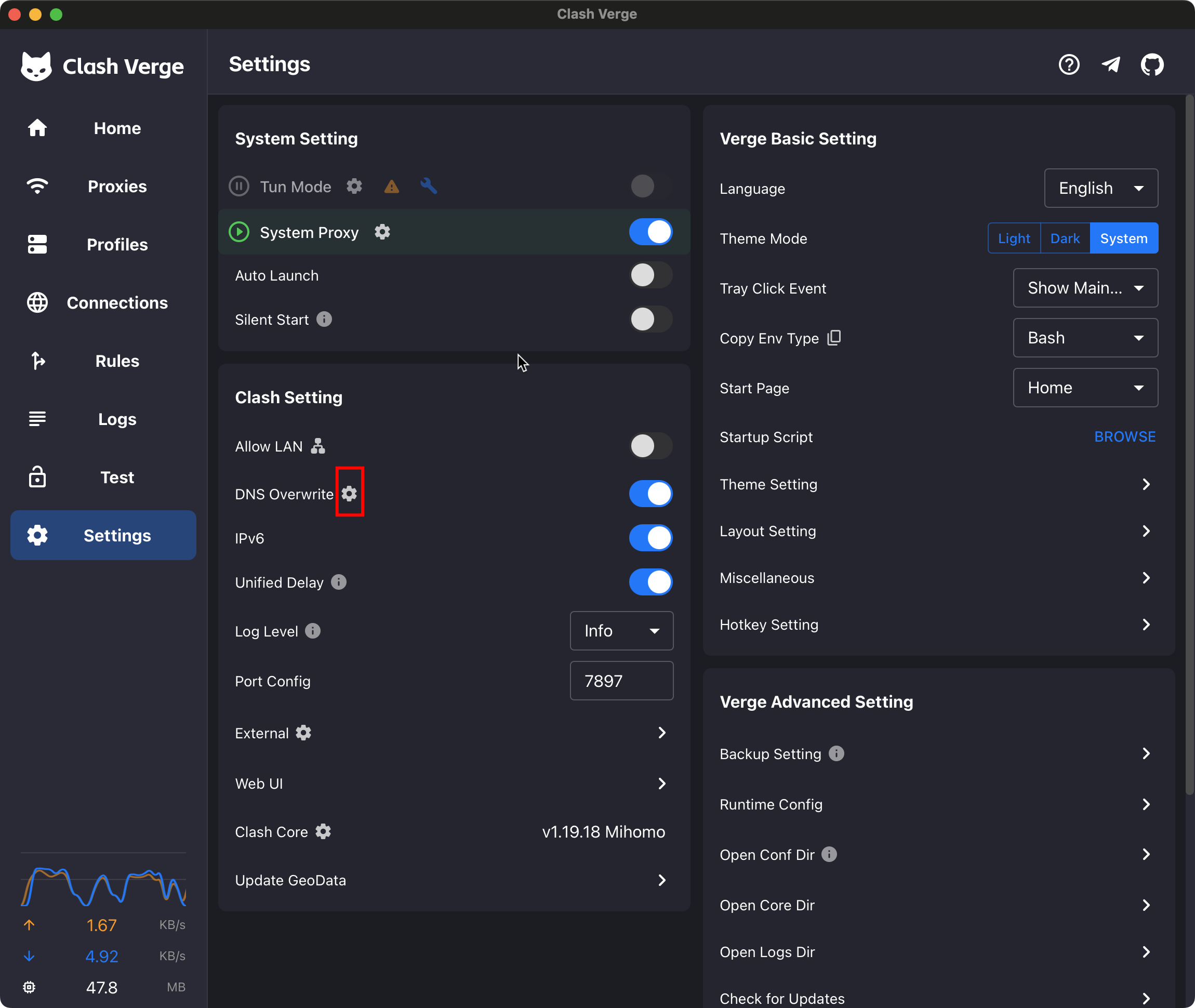
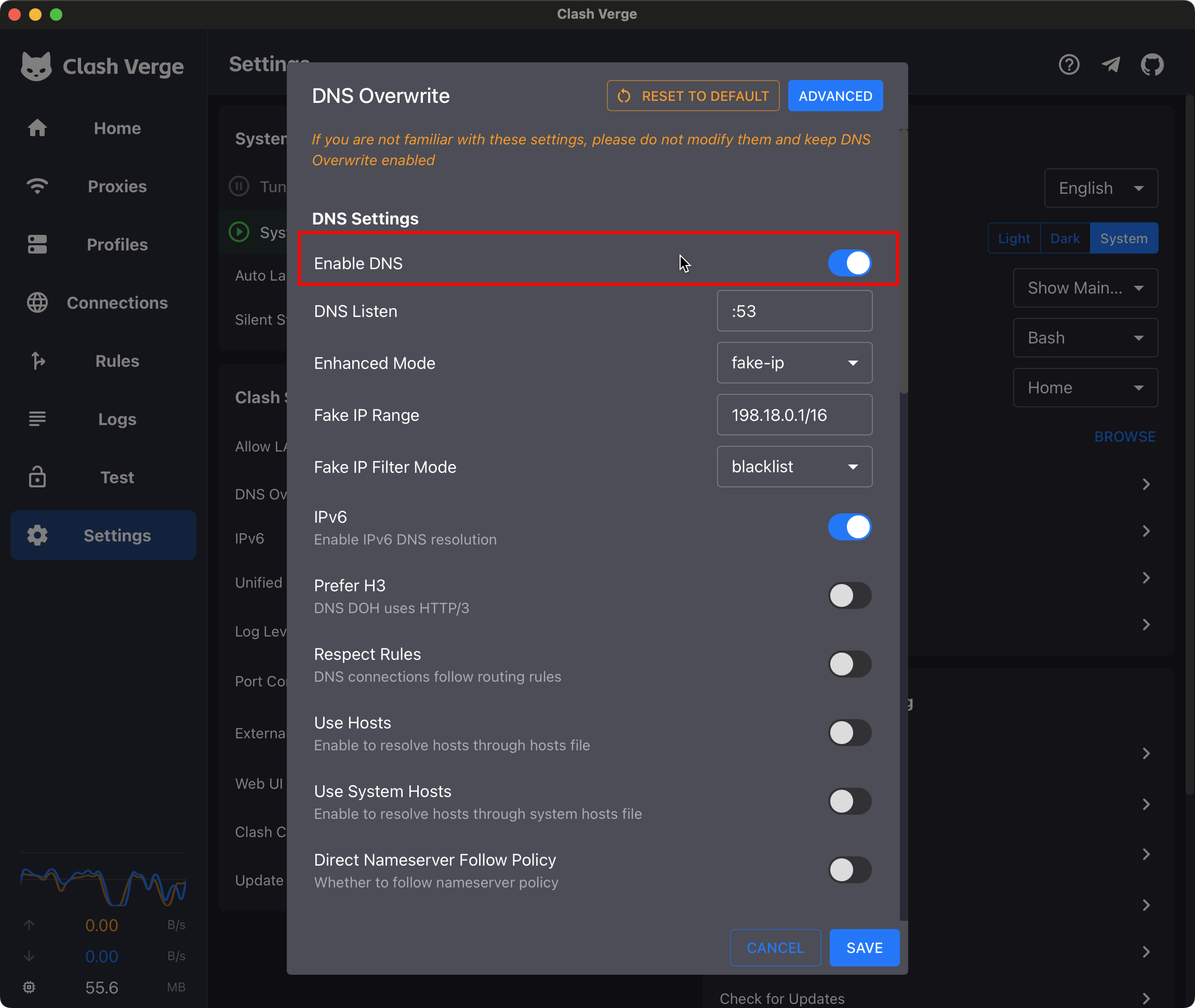
You can find the DNS Overwrite section in the Settings page. Click the Setting icon to open the DNS Overwrite page as you can see below.
Turn off the Enable DNS switch and save the changes. You should be able to connect to the intranet now. But this solution is not recommended because it will disable the DNS fake-ip feature. You may lose the VPN protection.
The second solution is to use modify the Fallback Domain.
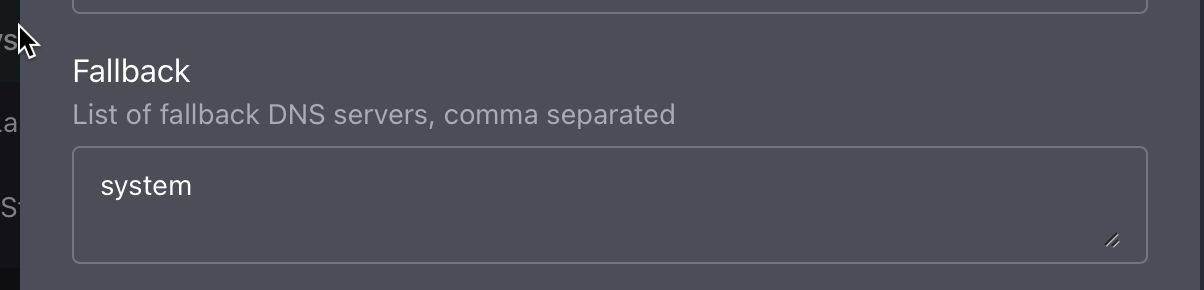
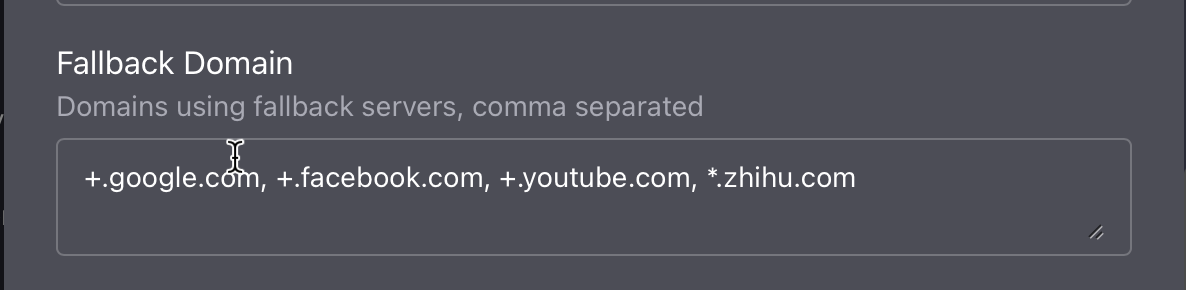
Keep the Enable DNS switch on and modify the Fallback DNS server to system. Then add the intranet domain to the Fallback Domain list. You should be able to connect to the intranet now.